
Enter once · Verify everywhere
Every weld, every stamp, every signature. On the record.
One connected suite for quality, fabrication and weld management in any regulated environment, to whichever code your contract names, from engineering to client handover.
The record, in motion
Pick what you need to prove. See where it lives.
Each answer is a real SkaldIQ screen, from the demonstration organisation. Choose one and its panel comes forward.
What do you need to prove?
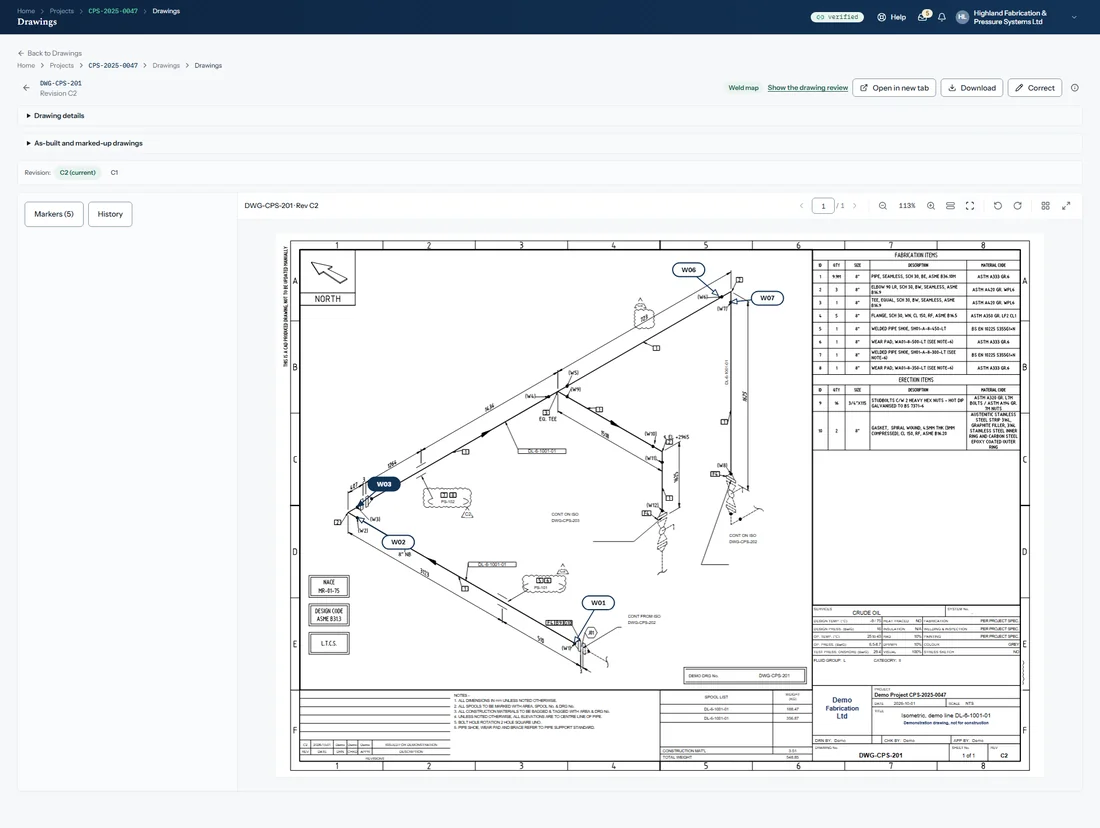
Traceability. Each joint is marked on its drawing with a numbered label and a leader, and carries its welder, procedure, heat numbers and examination results on the weld log.
Helps you evidence the identification, traceability and record-keeping that your standards and contract ask for, for example ISO 3834-2, EN 1090-2 or ASME B31.3. It works to any code your contract names, and the code edition in force decides what is required.
Screens show the demonstration organisation and project. No customer data.
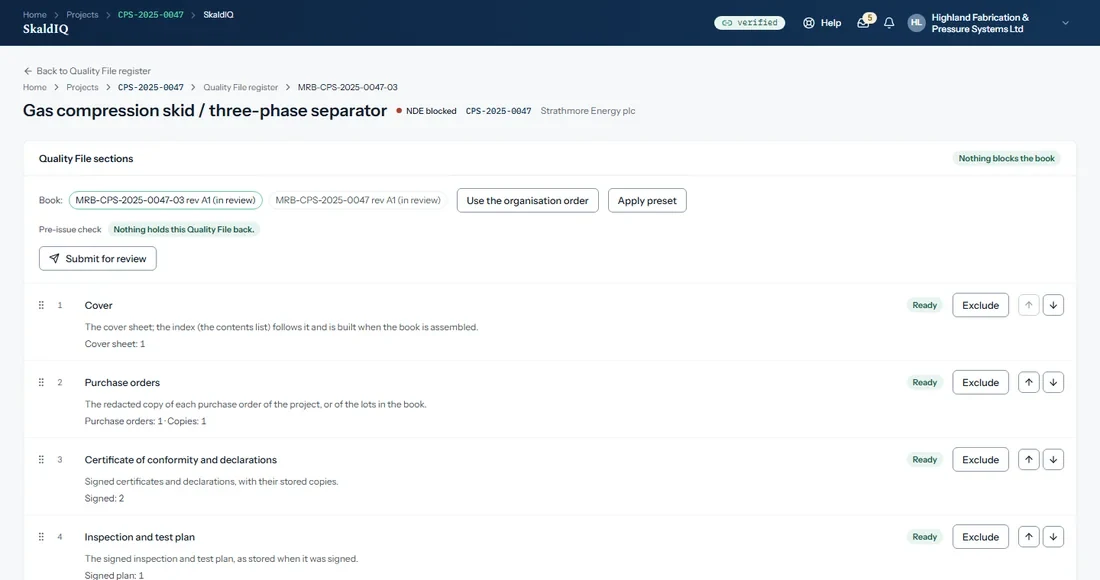
The Quality File, your data book (MRB)
The Quality File builds itself.
Most data books are gathered at the end, when the job is over and the people who know where everything is have moved on. In SkaldIQ the Quality File is collated and generated automatically from the records that have already been reviewed and approved through the project, instead of being put together at the end.
The benefit
No end-of-job scramble.
The book grows as the project does, so the gaps show while there is still time to close them, not when the client asks.
- Built from records already approved through the project
- A check before issue names anything still waiting for review or approval
- Vendor documents are carried across unchanged
- Approved by your own people, reviewed by your client
Walkthrough
Seven moments in the life of a project, and what each one proves.
These are the screens a project team actually works in. Each one is shown with the part of your compliance evidence it supports.
Every weld, placed on its drawing
Each weld is marked on its drawing with a numbered label and a leader, and the same weld sits on the weld log. Marks are kept with their history.
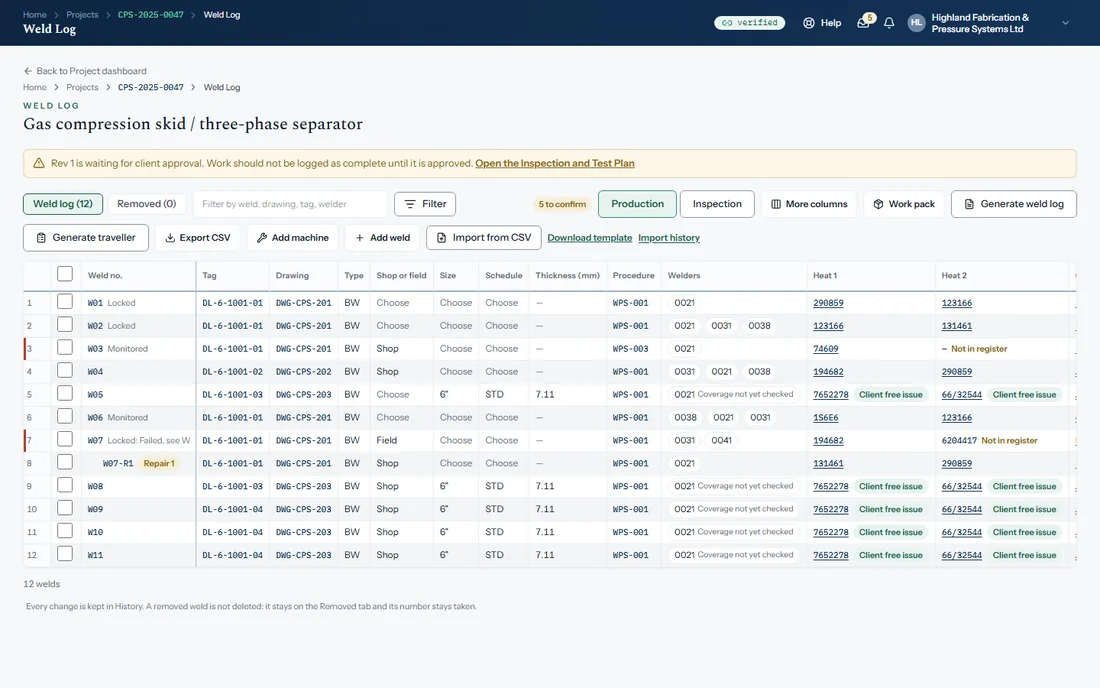
The evidence on the joint, linked through
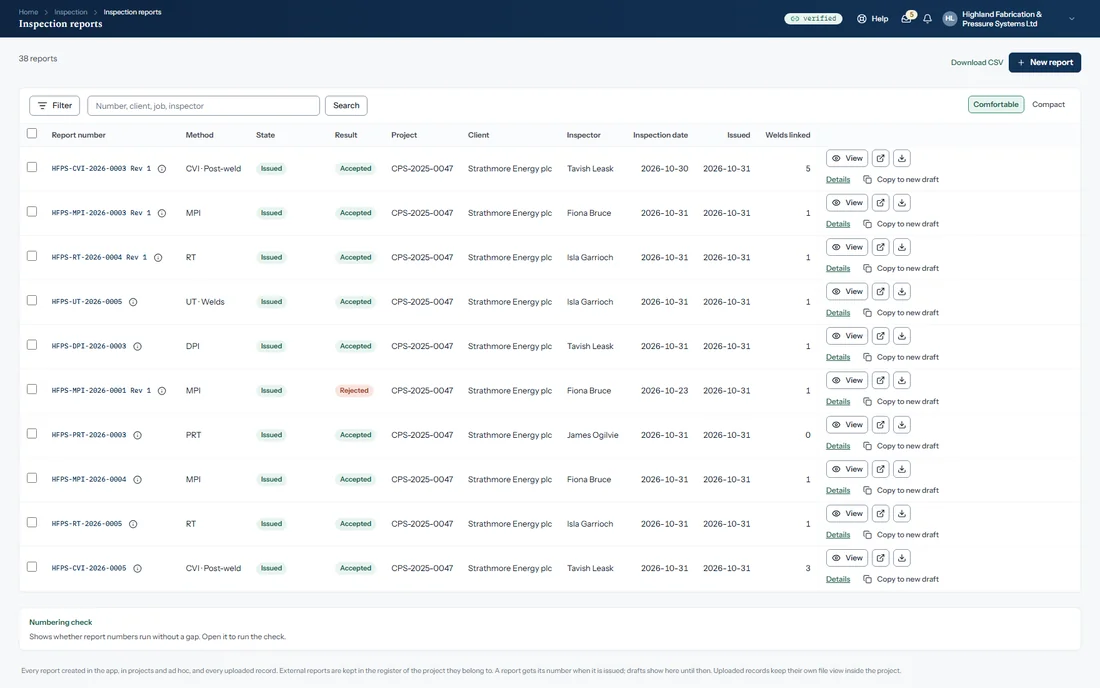
For each joint the weld log holds its drawing and tag, the procedure, the welders, heat numbers and the day welded. Its references link through to the reports and certificates behind them.
The data book fills itself
As records are reviewed and approved in the project, they flow into the Quality File. Each section shows whether it is ready, and a check before issue names what is still outstanding.
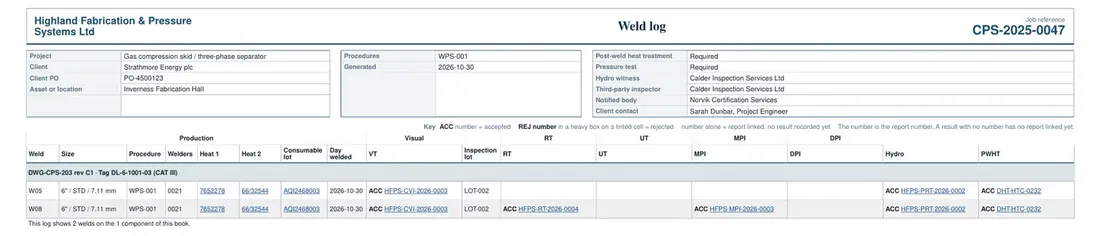
A page of the book, as the client reads it
The weld log printed into the book carries each weld's examination results as references that link to the report. An accepted result reads ACC and a rejected one is boxed, so the outcome is clear without opening anything.
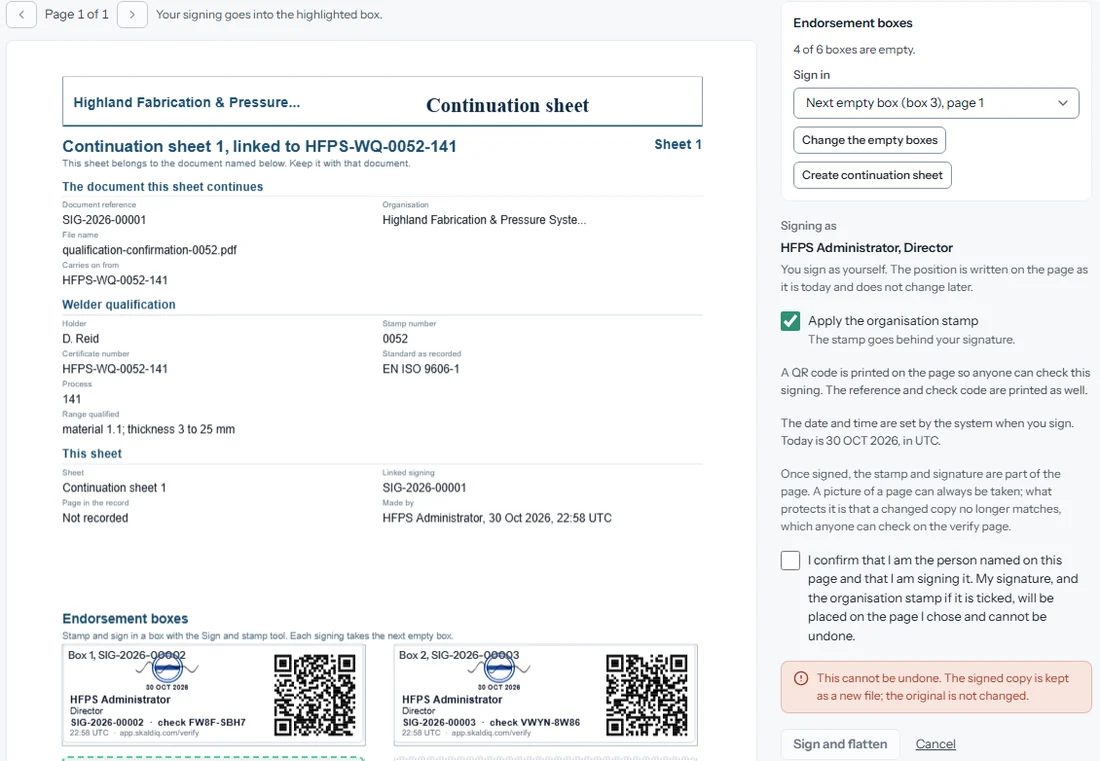
Approve, sign and stamp, then let anyone check it
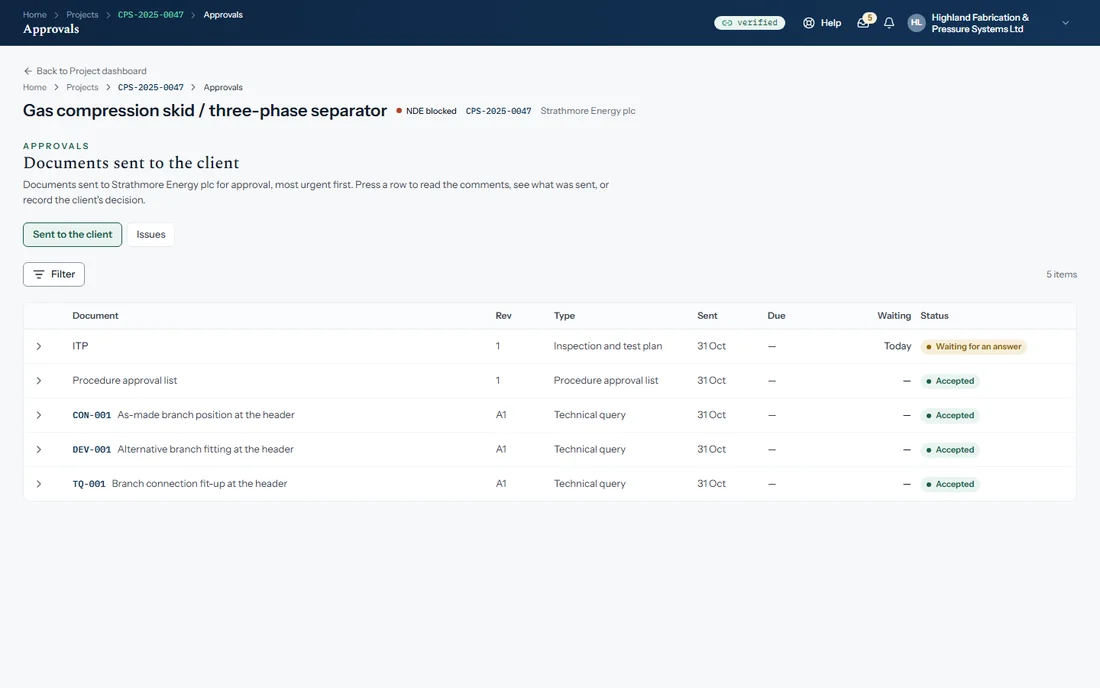
Documents can be sent to the client for approval, with their comments and decision recorded. A document is signed with your signature and the organisation stamp, and a reference and check code on the page let anyone check who signed it and when.
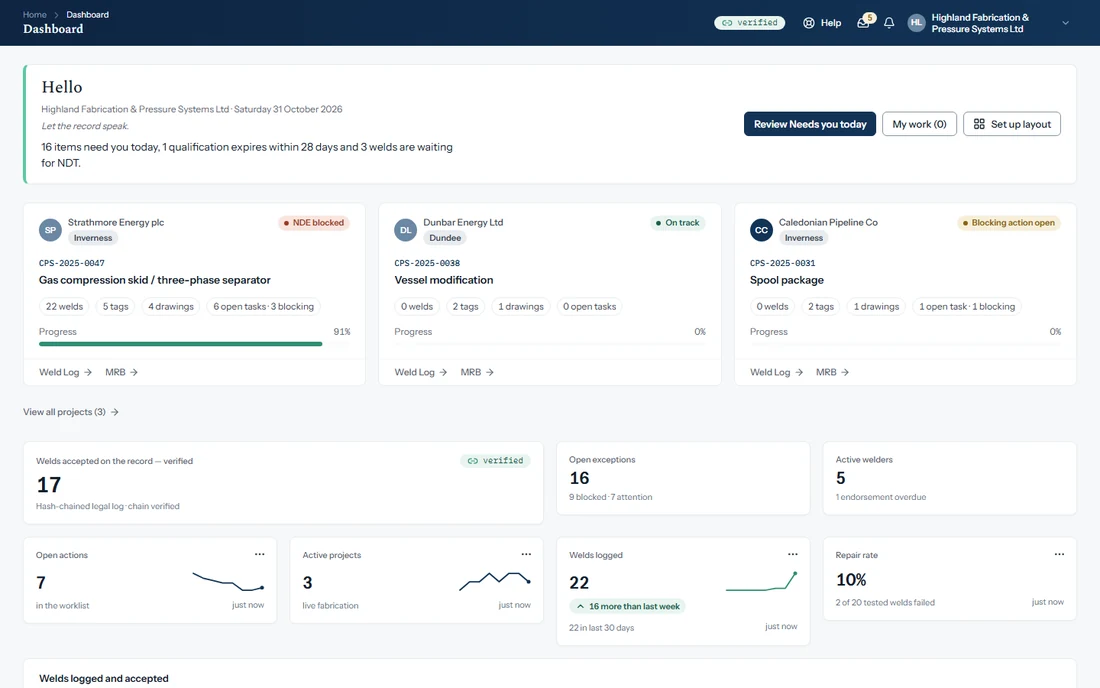
See where the work stands
Your dashboard shows what needs you today, each project's progress, welds logged and accepted, open exceptions and qualifications coming due.
Know who is qualified, today and next month
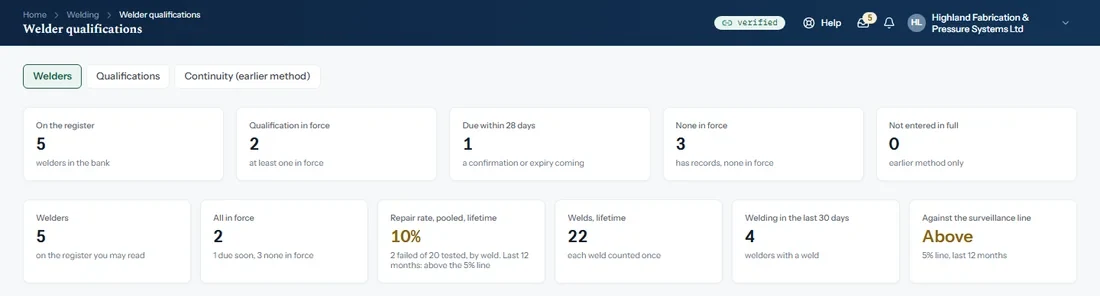
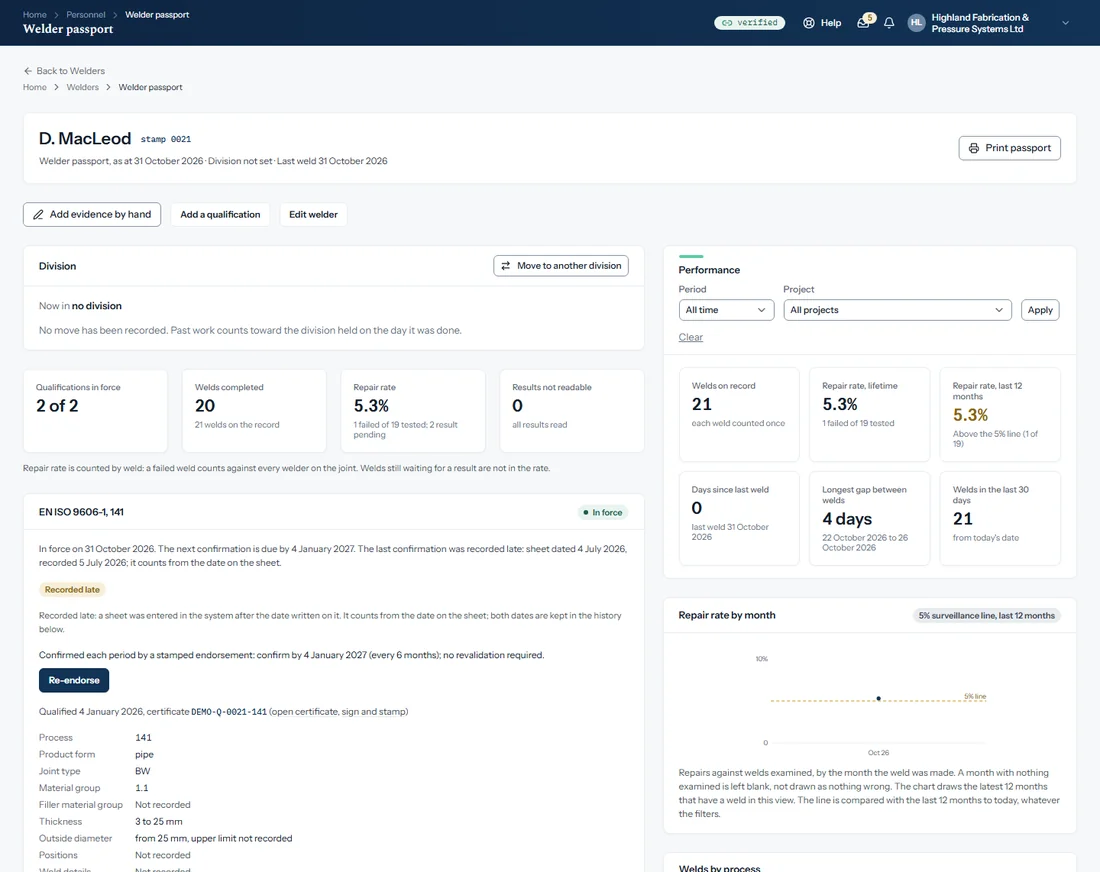
A company view of the welders with group figures and a comparison by division. Each welder opens as a passport with qualifications, continuity, work record and performance, and whose confirmation is due within 28 days.
Every weld proven, not just made
Who welded it, to what procedure and how it was tested: welder, procedure, heat numbers, drawing and NDT results sit on each joint, referenced rather than retyped, and linked through to the record behind them.
Proof your client can check for themselves
Approvals leave a tamper-evident record, and a page signed in SkaldIQ can be checked by anyone with its reference and check code, to see who signed it and when.
Handover is the output, not a project
The data book is ready because the record already is. The Quality File is generated from the records already reviewed and approved through the project, as one PDF with contents, bookmarks and page numbers.
Beyond the project
The organisation behind every project.
The people, the standards, the procedures and the list of what needs doing are kept once for the whole organisation, and every project works from them. These are screens from the demonstration organisation.
Welder qualifications. A company view of the welders, with group figures by division: who is qualified, repair rate, welds, and what falls due in the next 60 days. Every welder is listed with their stamp, qualifications and status, and confirmations due within 28 days can be signed off together.
Free tools
Weld-shop calculators, no sign-up.
The heat input calculator, minimum wall thickness and MAWP (with pipe size and schedule), blank thickness and the PED/PESR calculator. Worked step by step, in metric or imperial, with unit conversion tables.
Let the record speak.
Compliance · Assurance · Engineering